Organizing your library
Use tags, tag groups, performers, studios, groups, and saved views to make a growing Cove library easier to revisit.
Organize over time
Cove is built for libraries that become more structured over time. You do not need to classify everything perfectly at the beginning. Add enough structure to make the library easier to find, review, browse, and share each time you return.
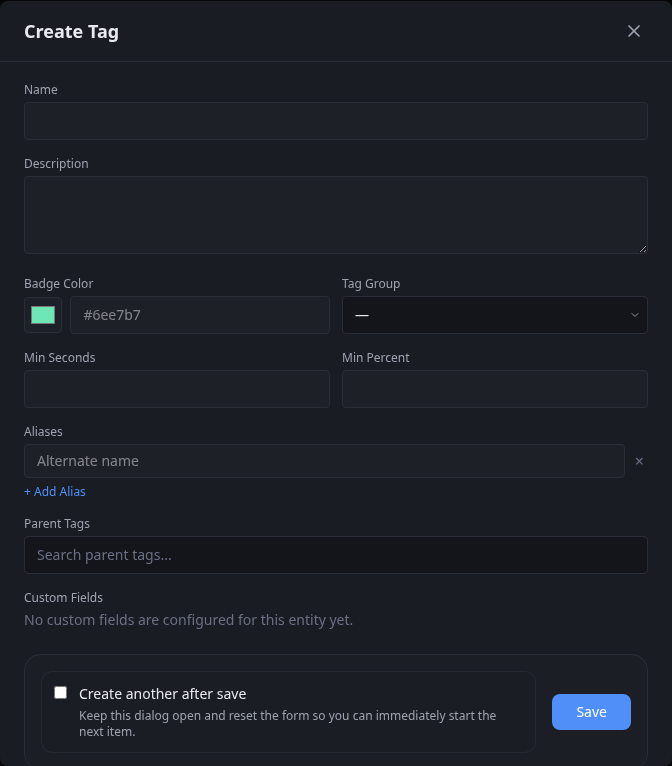
The main building blocks
Start with the record that owns the content, then add only the relationships that improve retrieval:
- performers and studios for identities reused across items
- tags for overlapping classification
- tag groups for dividing a larger tag vocabulary into understandable categories
- groups for a collection with its own identity or order
- custom fields for metadata that Cove does not provide as a standard field
- saved filters for a view you want to revisit
- dynamic groups when a collection should resolve from a query
A practical organization loop
- Scan or import media into Cove.
- Add the broad metadata that will help you find it later.
- Create views you return to often with saved filters or dynamic groups.
- Add more specific structure only where it pays off.
- Review provenance when an automated workflow changes something important.
Tags versus groups
Use tags when
- the label applies to many otherwise unrelated items
- you want the label to be searchable and reusable
- you want several overlapping labels on the same item
Use groups when
- you are intentionally curating a collection
- order or membership matters
- the collection should behave like a chosen set instead of a shared label
Use dynamic groups when
- the collection should update itself
- membership comes from a rule, filter, or activity pattern
Tag when something appears
Some tags describe a whole item. Others describe where a performer, face, tag, or another entity appears inside a video.
- use normal tags when the whole item should carry the label
- use occurrence tagging when timing matters and you need to know where something appears
- occurrence tagging works with segments, which also power player bars, filters, and compilations
When to go deeper
A growing library usually benefits most from deeper structure in a few places:
- high-value tags you search often
- performer identity cleanup
- studio normalization
- recurring watch or review queues
- groups you revisit often
Once those are stable, add advanced workflows such as contextual tagging, segments, sub-videos, and compilations where they provide a clear benefit.