Segments and compilations
Work with segments, display profiles, sub-videos, and compilations without duplicating source media.
Choose the right representation
Timeline structure lets Cove organize part of a source without exporting a new media file for every use. Choose the representation based on whether you need source evidence, a derived view, a reusable video identity, or an ordered playback collection.
Raw segment
Choose a raw segment to preserve a point or range exactly as a user, provider, or analyzer supplied it. It retains the source, confidence, payload, and original boundaries.
Segment
Choose a segment to present a cleaned-up range composed from stored inputs. A display profile can select, merge, hide, or restyle raw segments without rewriting them.
Sub-video
Choose a sub-video to give a parent-video range its own reusable media record and metadata. It behaves as a child video while reusing the parent source.
Compilation
Choose a compilation to play whole videos or ranges in a chosen order. The group owns the sequence while each member keeps its own media identity.
Raw, derived, and display profiles
Raw segments are the original marks recorded on a video. Derived segments are Cove's calculated results from raw marks, tags, performers, faces, and display settings. You usually inspect raw segments for source detail, then browse, play, filter, and add the derived results to compilations.
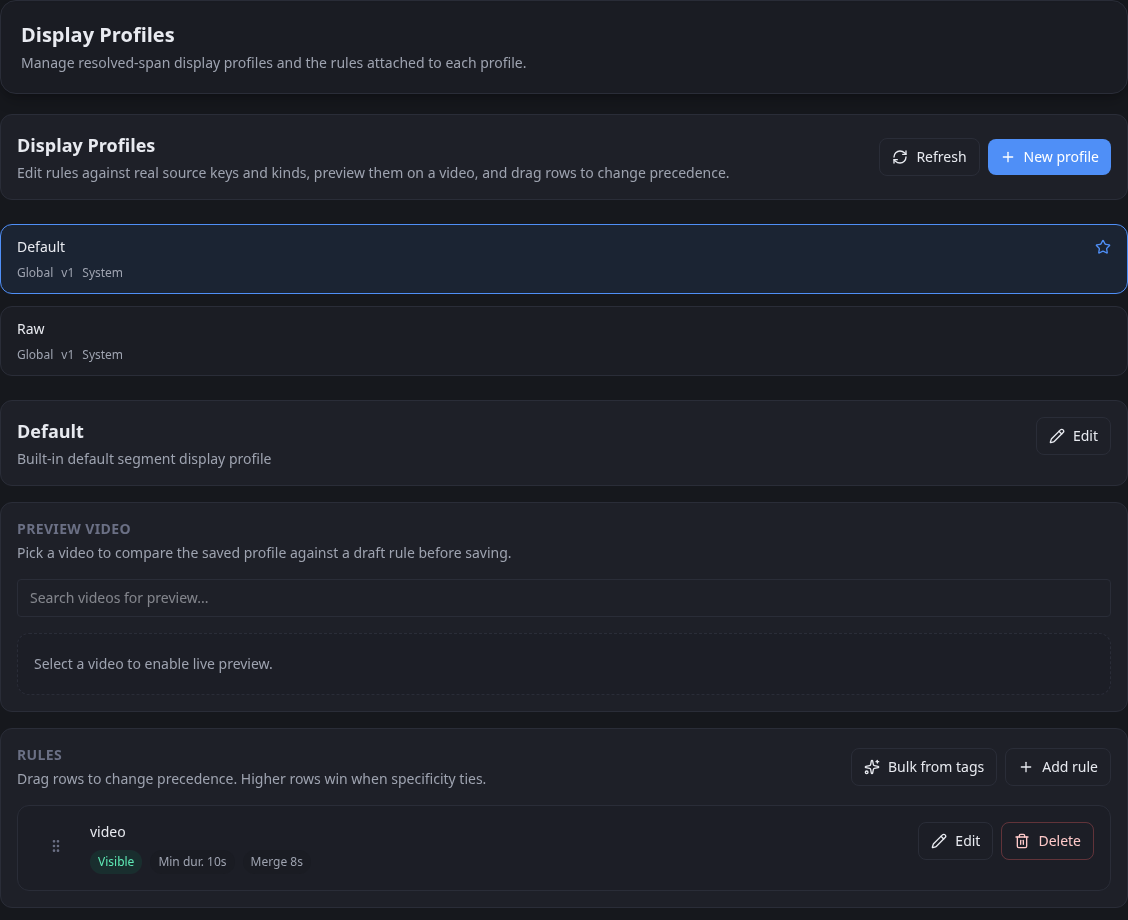
Display profiles
A display profile is a saved set of rules for shaping derived segments. Switch profiles to get different views of the same stored inputs without rewriting their source evidence.
What this enables
Raw and derived segments make the rest of the library more expressive:
- tag a moment instead of only a whole file
- track where a performer, face, tag, or another entity appears
- build compilations without duplicating media
- turn internal timeline structure into something the rest of Cove can search and reuse
Use a compilation when you want a chosen sequence, want to reuse existing media, or already have a group that expresses the collection you want to play. Segments are especially useful for precise excerpts, but a compilation can contain other supported content types too.
When to adopt timeline structure
You do not need segments on every item. They pay off most when:
- timing matters
- performer occurrence matters
- tags need to be contextual
- you want reusable sub-videos
- you want richer playback-driven organization