Organize a collection
Create a static group, add useful metadata to an item, and verify the resulting collection.
Choose a small theme
Create one static group and add one item to it. This is deliberately small: the goal is a useful result you can extend, not a perfect classification system.
Pick an item that belongs to a theme you will remember, such as a trip, event, project, subject, series, or short watchlist. A group fits because you are choosing explicit membership for a collection with its own name.
Create the group
- Open Groups.
- Select + New.
- Enter a short, specific name.
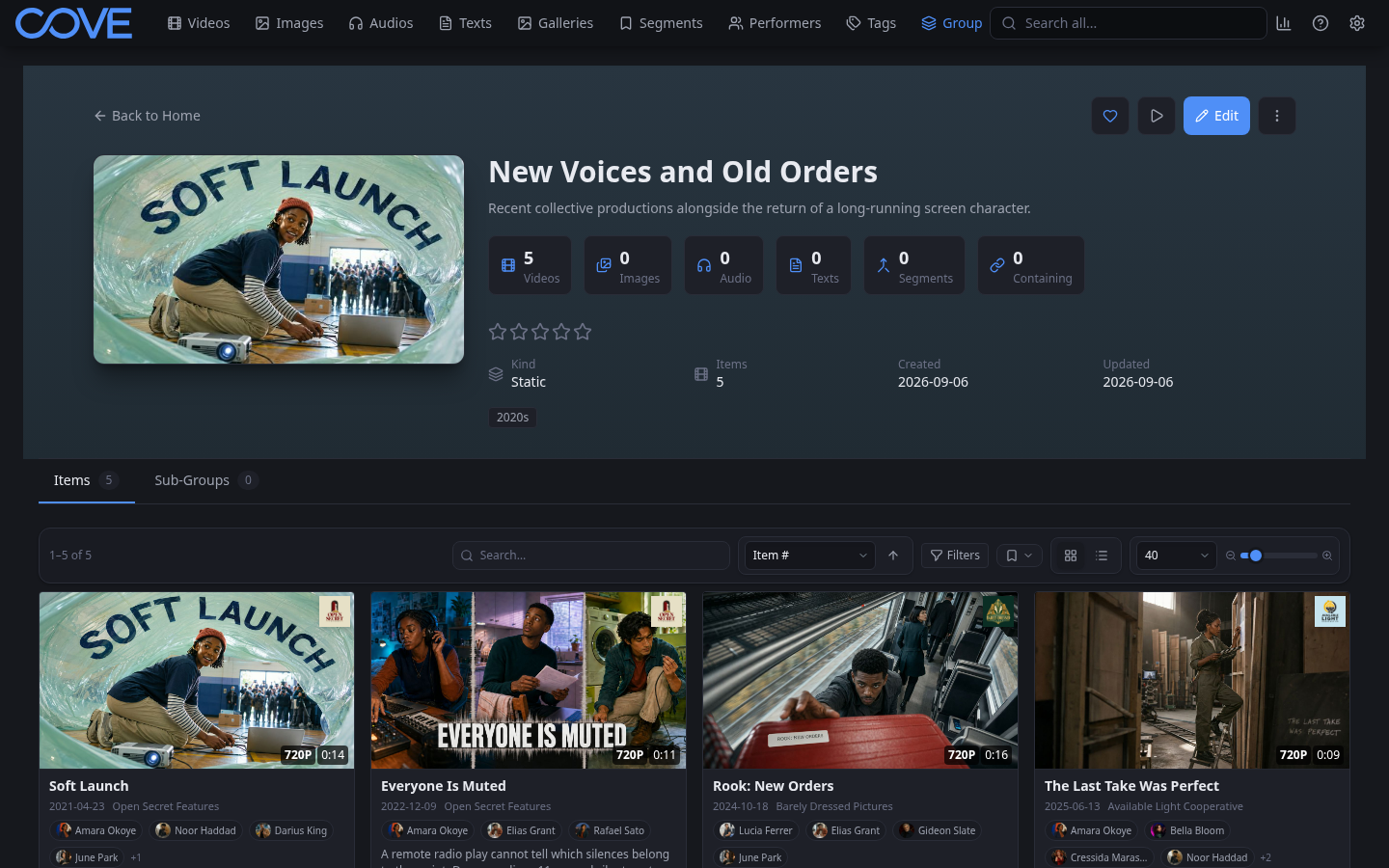
- Leave Kind set to static. A static group keeps the members you choose; a dynamic group resolves members from a query.
- Add a description if the name does not make the collection's purpose clear.
- Select Save.
Edit and add the item
- Find and open the first item.
- Select the Edit tab on its detail page.
- Correct descriptive fields only when you know they are wrong or incomplete.
- Under Tags, choose one or two existing labels that make the item easier to retrieve. Skip this if no existing tag fits.
- Under Groups, search for the group you just created and select it.
- For a video where order matters, set Video #. Otherwise leave the default.
- Select Save.
Repeat the group step for related items after the first one works. Cove groups can bring supported media types together, so every member does not have to use the same format.
Verify the collection
- Open Groups and search for the name you chose.
- Open the group.
- Confirm the item count and card.
- Open the card from the group and confirm the new group and tags appear on its detail page.
Know which structure you just used
- Tags are reusable labels. An item can have many, and the same tag can span unrelated collections.
- Static groups are named collections whose membership you choose.
- Dynamic groups update from a query or activity, including built-in groups such as Save for Later and Continue Watching.
You have completed the first-hour path: Cove can scan your files, you can browse their relationships, find an item again, and create a collection.