Find anything
Search across Cove, narrow one media list, and choose the right browsing controls for the job.
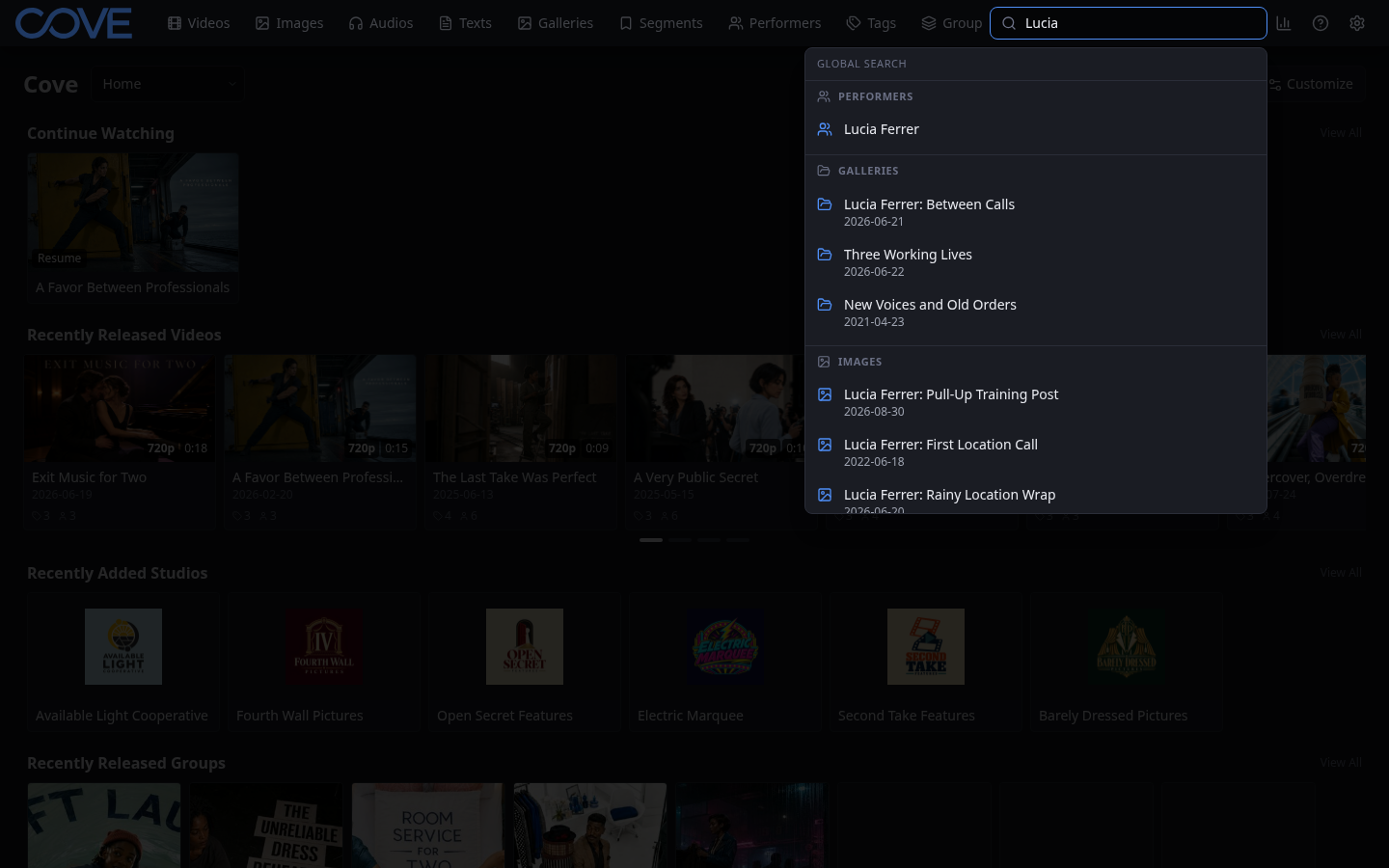
Search across the whole library
Use global search when you remember the subject but not which kind of record contains it. This exercise does not change any records.
- Select Search all… in the navigation bar.
- Enter a title, person, studio, group, or topic you remember.
- Review the headings in the result panel. Cove keeps videos, galleries, images, groups, audio, text, and other matching record types distinct.
- Select one result to open it, then use Back to return.
Narrow one list
Global search helps you choose a destination. A list search helps you work within it.
- Open Videos.
- Enter part of a title, tag, performer, or studio in Search list.
- Check the item count beside the page title. It changes to the number of matching videos.
- Change the sort field or direction to put the most useful result first.
- Try Grid and List. The result set stays the same while its presentation changes.
- Clear the search to return to the full video list.
Repeat the exercise on Images, Audios, Texts, or Galleries. Each page searches fields meaningful to that record type while keeping the same overall pattern.
Choose the lightest useful tool
- Use Search all… when you do not know which page contains the result.
- Use Search list when you know the record type and remember a word or relationship.
- Use Filter when you need a rule such as missing metadata, a rating range, a technical property, or several conditions together.
- Use Saved filters when that rule describes a view you will revisit.
Search first. Add filters only when the remaining result is still too broad. You can now retrieve an item without remembering where you first saw it.