Troubleshooting
Locate Cove logs, run safe deployment checks, resolve common failures, and prepare a useful report.
Find the logs
Reproduce the narrowest failing action once, note the time, and inspect the matching job and log entries. Avoid repeatedly queueing full scans or imports while diagnosing a failure.
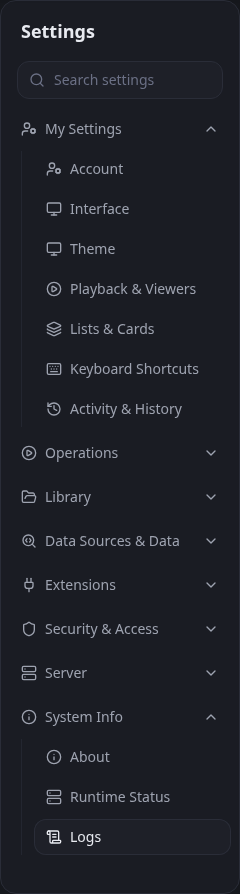
Use Filter and Component to narrow the rows shown in the browser. Server log level changes what Cove records. Trace is a temporary 15-minute diagnostic session and then returns to the saved level automatically; other levels remain selected until changed.
Log locations
- Provided Docker setup: container path /config/logs; default host path ${COVE_DATA_DIR}/config/logs.
- Native app: the logs directory under the current Cove Instance Manager instance home.
- Source run: $COVE_HOME/logs when COVE_HOME is set, or logs under the platform-local Cove data directory.
Docker exposes startup output even when Cove cannot initialize its file logger:
docker compose --file docker-compose.allinone.yml ps
docker compose --file docker-compose.allinone.yml logs --tail 200 cove
For the separate app-and-database compose file, use docker-compose.yml and check both services:
docker compose --file docker-compose.yml logs --tail 200 cove
docker compose --file docker-compose.yml logs --tail 200 db
For a source run, backend messages appear in the terminal that launched Cove from the repository root:
dotnet run --project src/Cove.Api/Cove.Api.csprojFrontend build and browser-proxy messages appear in the ui/ terminal that launched npm run dev.
Safe Docker checks
Run these from the directory containing the compose file. They inspect state without changing it:
docker compose --file docker-compose.allinone.yml config --services
docker compose --file docker-compose.allinone.yml ps
docker compose --file docker-compose.allinone.yml exec cove id
docker compose --file docker-compose.allinone.yml exec cove ls --long --numeric-uid-gid --directory /config /generated /backups /media
docker compose --file docker-compose.allinone.yml exec cove test -r /media
docker compose --file docker-compose.allinone.yml exec cove test -w /media
docker compose --file docker-compose.allinone.yml exec cove test -x /media
docker compose --file docker-compose.allinone.yml exec cove test -w /config
docker compose --file docker-compose.allinone.yml exec cove test -x /config
docker compose --file docker-compose.allinone.yml exec cove test -w /generated
docker compose --file docker-compose.allinone.yml exec cove test -x /generated
docker compose --file docker-compose.allinone.yml exec cove test -w /backups
docker compose --file docker-compose.allinone.yml exec cove test -x /backups
The ls command reports mode and numeric ownership, but those values alone do not prove effective access. Each test command checks access as the Cove user without creating or deleting a file: -r reads /media, -w writes the requested path, and -x traverses it. No output with status 0 means access is available; a nonzero status identifies the failed path.
Startup or browser problems
- If ps does not show Cove running, read the container logs from the first error onward.
- If Cove cannot write its config/data directory, inspect ownership of the host directory mounted at /config.
- If the separate database is unhealthy, check the db logs and confirm Cove and PostgreSQL use matching credentials.
- If Cove runs but http://localhost:5073 does not open on the host, confirm the compose file publishes 5073:5073. From another computer, use the server address and check the host firewall or reverse proxy.
- If an upgrade is applying migrations, wait for completion. Do not start another migration or restore concurrently.
Scan and media problems
- No files found: enter the container path from the media mount, not the host path. Then check Settings → Library → Paths & Storage, media-type exclusions, file extensions, and exclude patterns.
- Permission denied: verify Cove can read source media and write /generated. A read-only /media mount still supports scanning but disables source-file deletion and extension-provided rename operations.
- Some files are skipped: run a selective scan on one folder and inspect the job and logs. Use Force rescan (ignore mtime) only for files that should be reconsidered.
- Covers or previews fail: open Settings → Library → Scanning & Assets, confirm the generated path and FFmpeg settings, then inspect FFmpeg errors in the logs.
- A job appears stuck: open Settings → Operations → Jobs before queueing another job. Record its name, progress text, and last update.
Search, access, and metadata problems
- Check whether the signed-in user's roles and content rules hide the expected result.
- Remove filters one at a time and refresh a saved filter after major metadata changes.
- Review provenance when a provider or scraper changed a field unexpectedly.
- Verify the item exists on its media-type page before treating the problem as search-only.
Extension problems
Open Settings → Extensions → Installed Extensions and confirm the extension is enabled and compatible. Check Settings → System Info → Logs for its identifier near the failure. Disable one suspected extension at a time, reproduce once, and re-enable unrelated extensions after isolation.
Prepare a useful report
- Cove version from Settings → System Info → About
- native, all-in-one Docker, separate Docker, or source deployment
- operating system, browser, and relevant image tag
- exact steps, expected result, and actual result
- failure timestamp and time zone
- job name, state, progress message, and error when applicable
- a short sanitized log excerpt covering the action
- container-side mount paths and numeric ownership for filesystem issues
- whether the issue still occurs with the suspected extension disabled