Use detail pages
Review playback, metadata, relationships, activity, file information, and editing controls for one item.
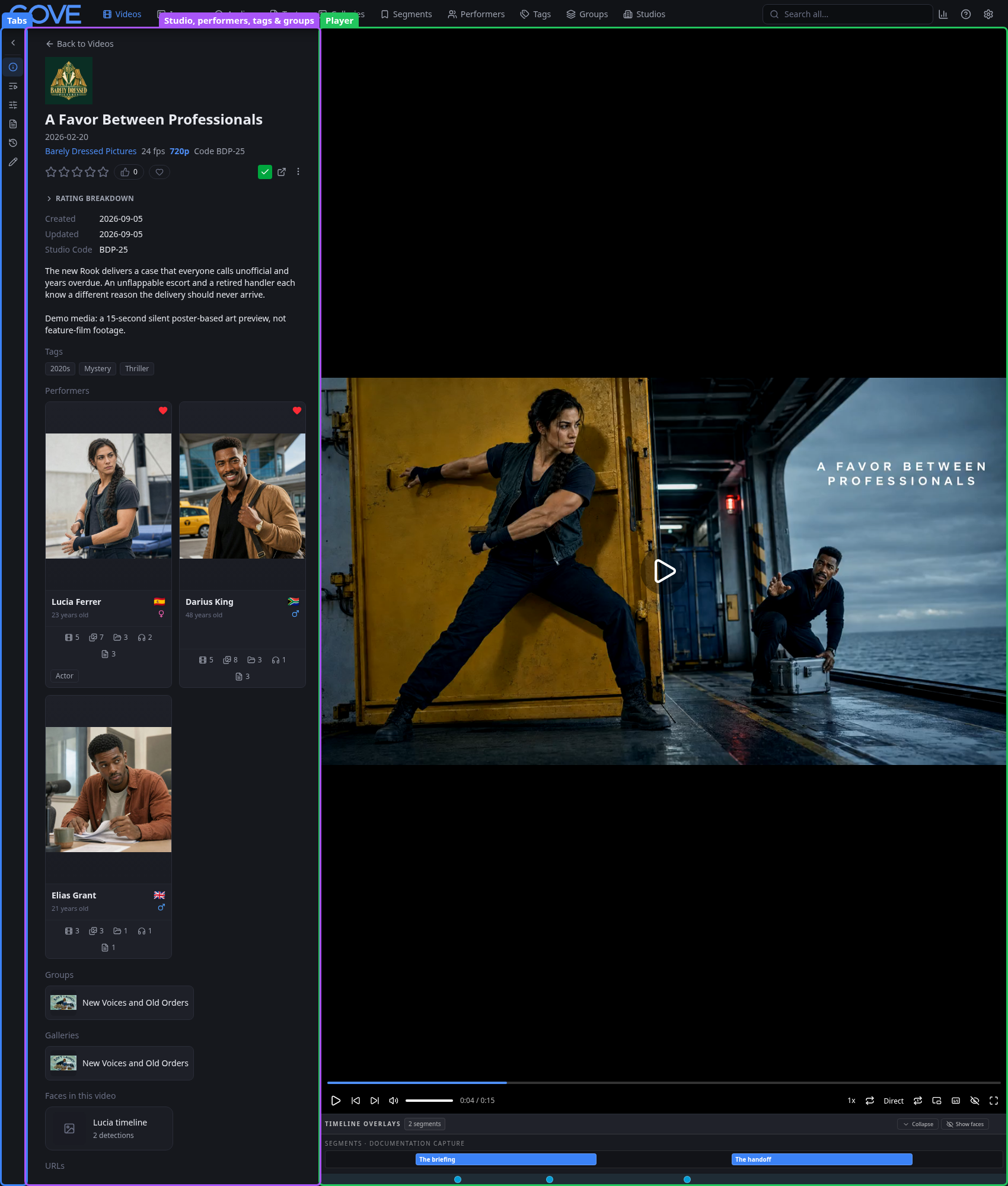
Move between the item and its supporting information
A detail page keeps the primary viewer or player close to everything Cove knows about one item. Tabs separate descriptive details, segments or related media, similarity tools, file information, history, and editing. The exact tabs depend on the media type and your permissions.
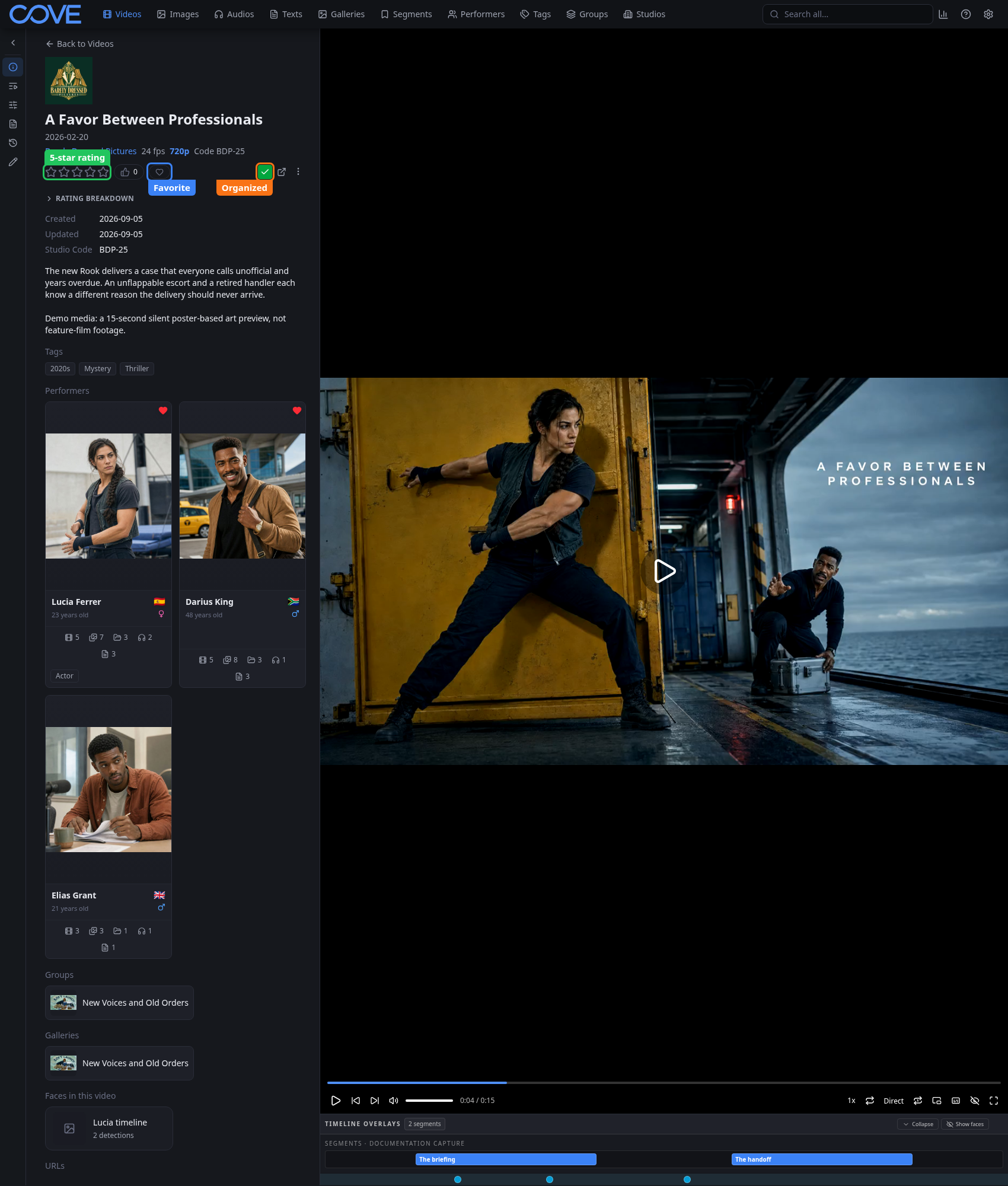
Rate, favorite, and track your review state
Use ratings and favorites to record personal preference. Organized is an optional workflow marker for an item whose metadata you consider reviewed; it is not required before an item becomes useful. Cove also records supported engagement and history information.
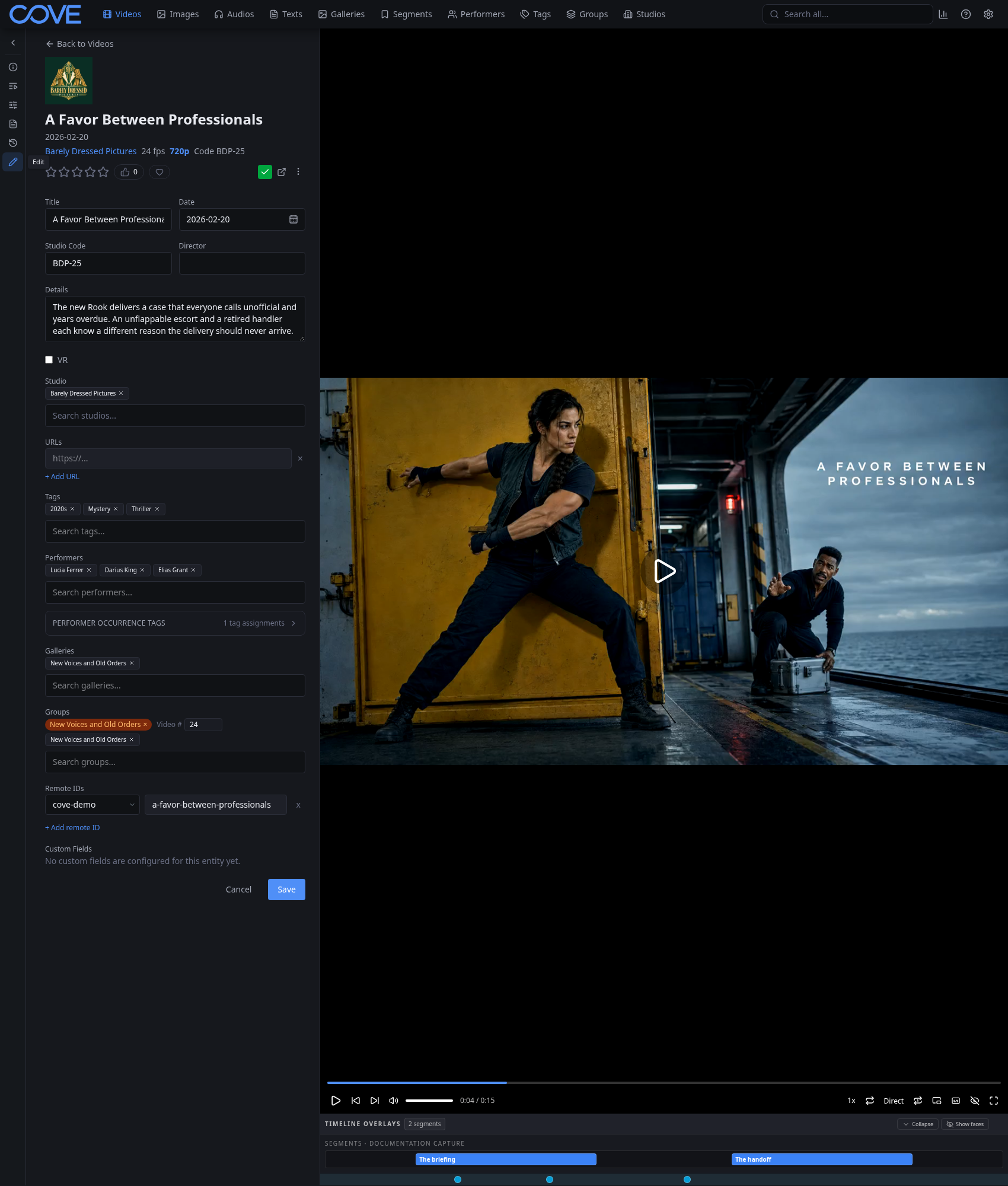
Edit known details without losing their origin
When your role grants write access, the Edit tab lets you correct titles, dates, descriptions, relationships, tags, and grouping. Manual changes participate in field provenance, so Cove can show how the effective value was chosen.