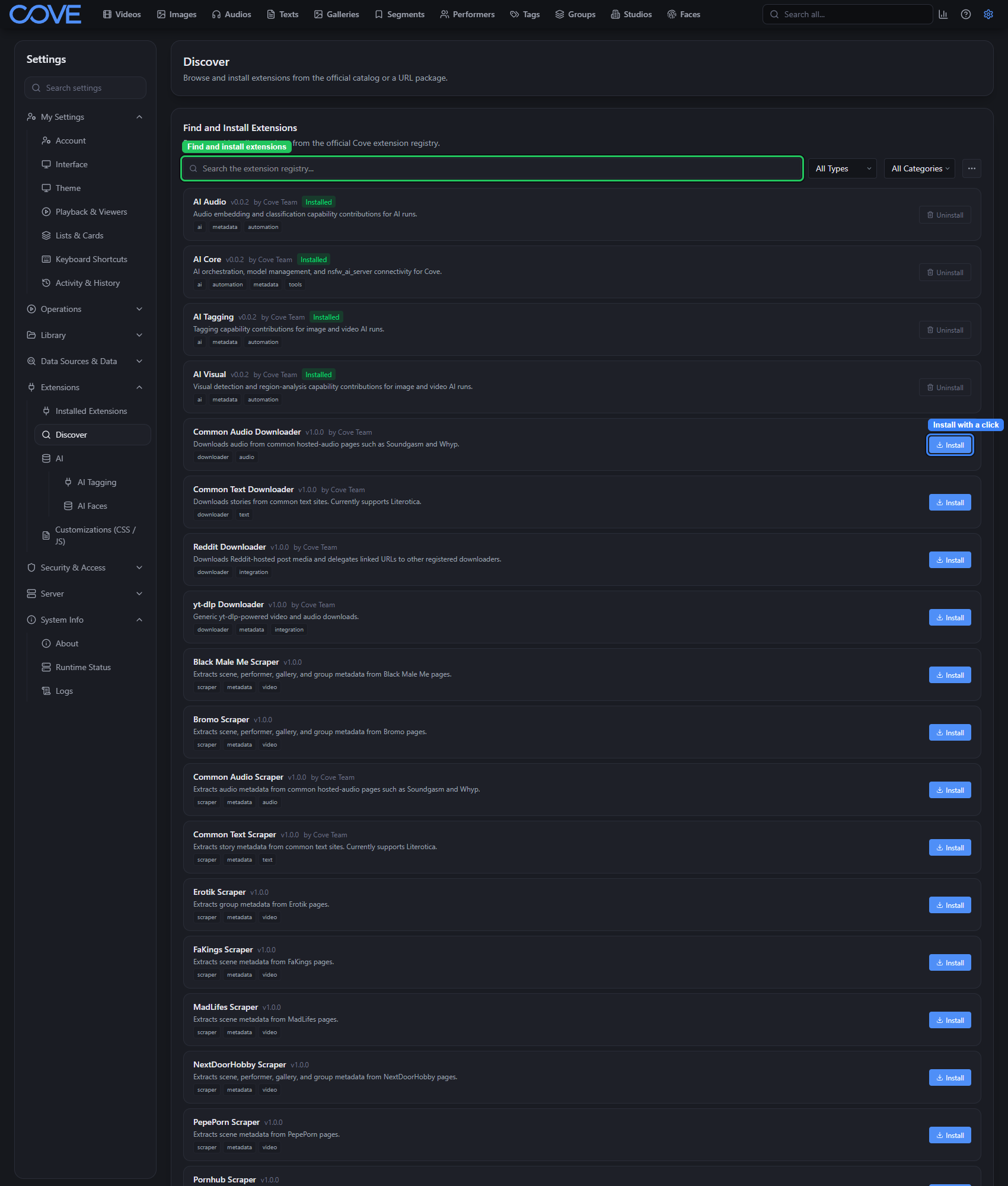
Discover and install extensions
Add optional downloaders, scrapers, panels, and other capabilities to Cove.
Add only the capabilities you need
Extensions add optional behavior without making it part of Cove's core. An extension can provide a downloader, scraper, metadata or automation capability, settings panel, interface panel, or its own User Guide topics.
Find and install an extension
- Open Settings and expand Extensions.
- Choose Discover.
- Search the registry or narrow it by type and category.
- Review the extension's description and capabilities, then choose Install.
- Open Installed Extensions to configure, update, disable, or remove it.