Keyboard shortcuts
Open the shortcut reference, understand key sequences and chords, and find the binding available in the current context.
Press ? to open the shortcut reference
Press ? from any page when you are not typing in a field to open the shortcut reference. It shows the actions available in your current context and the bindings from your active preset.
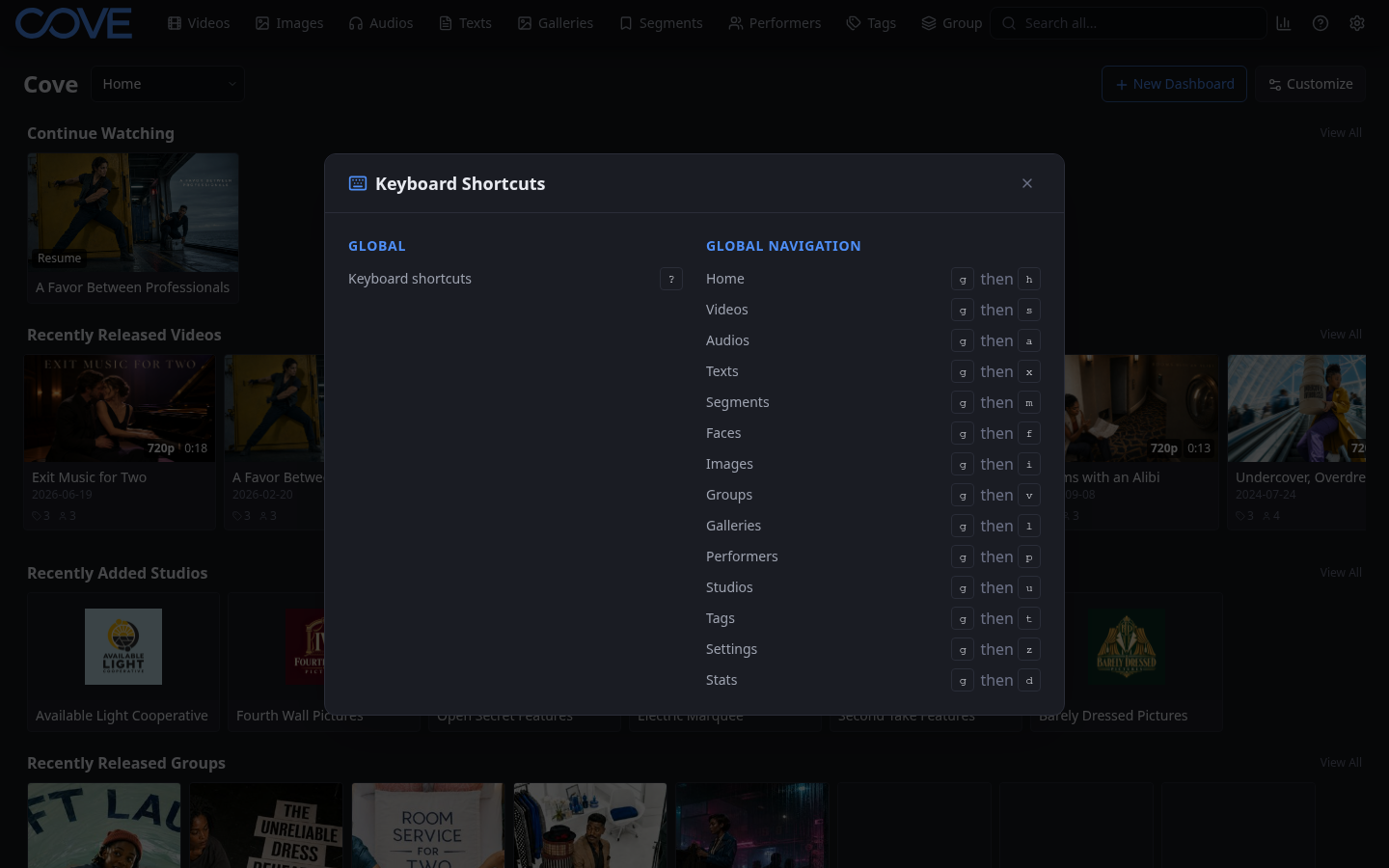
Read single keys, combinations, and chords
- A single key runs the action immediately, such as ? for the shortcut reference.
- Keys joined as one combination are pressed together, such as a modifier plus another key.
- A chord uses keys separated by then: press the first key, release it, and press the next key before the chord times out.
Chords make many actions available without consuming every single-key shortcut. For example, navigation bindings can share the same first key and use the second key to choose a destination.
Find the shortcut you need
Open the reference in the part of Cove where you want to work. The list reflects that context, so player, list, and global actions appear where they are useful. Use the reference search when the list is long.